|
What is Oblique Imagery?
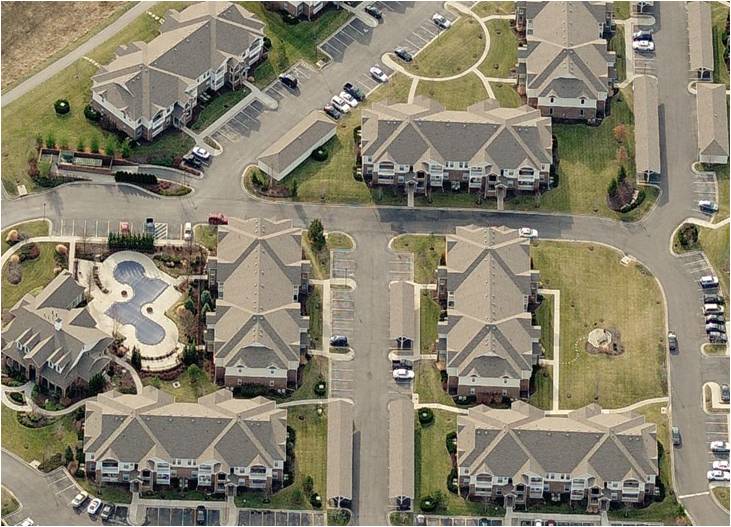
Oblique imagery is aerial photography that is captured at approximately a 45 degree angle with the ground.
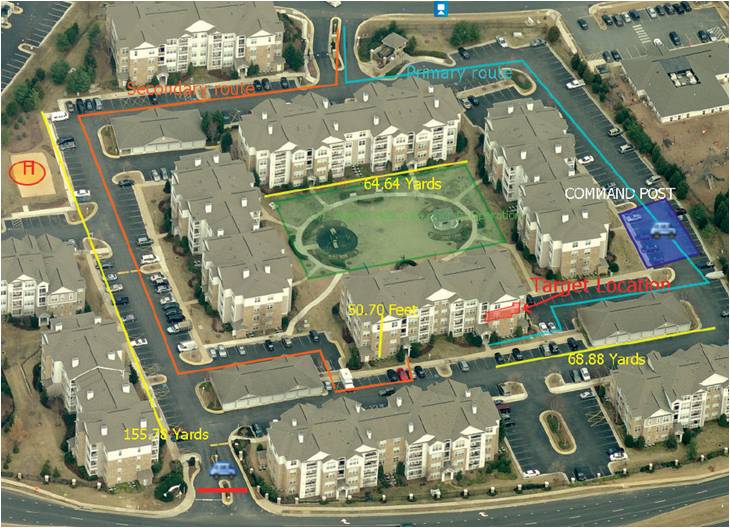
The angle which is inherent to oblique imagery allows viewers to see and measure not only the top of objects, but the sides as well. Oblique Imagery more closely
resembles how people normally view their landscape compared to traditional orthagonal (straight down) imagery. To access current and historical Johnson County oblique imagery, please visit the Pictometry Obliques web application.
 |
 |
| Oblique photo |
Oblique photo with annotation |
When Was the Johnson County Oblique Imagery Flown?
Oblique imagery is flown in early Spring in an attempt to capture "leaf off" conditions. Oblique imagery is available for even-numbered years* from 2006-2018, 2019, and all years from 2021-current.
*The 2008 oblique photography is unavailable via the public web application, however; myAIMS users can access the 2008 oblique photos by contacting us.
How
Can I access Oblique Imagery?
|
Public Web Access:
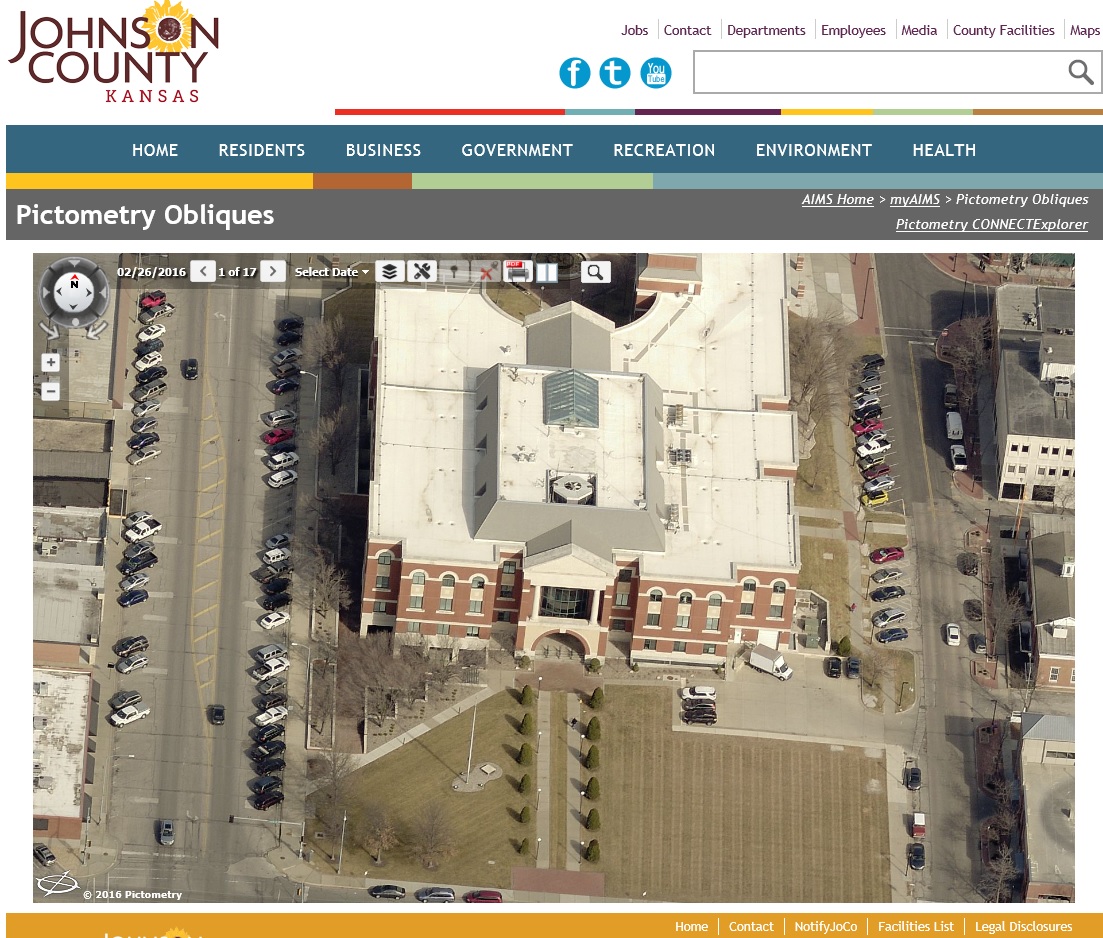
Public access is available online via this link: Pictometry Obliques. Users can view oblique imagery
and search by address, tax id number or latitude and longitude. Multiple property views are available
from all four cardinal directions. All current and historical imagery is available by utilizing the 'Select Date' dropdown within the application.
|
CONNECTExplorer Access:
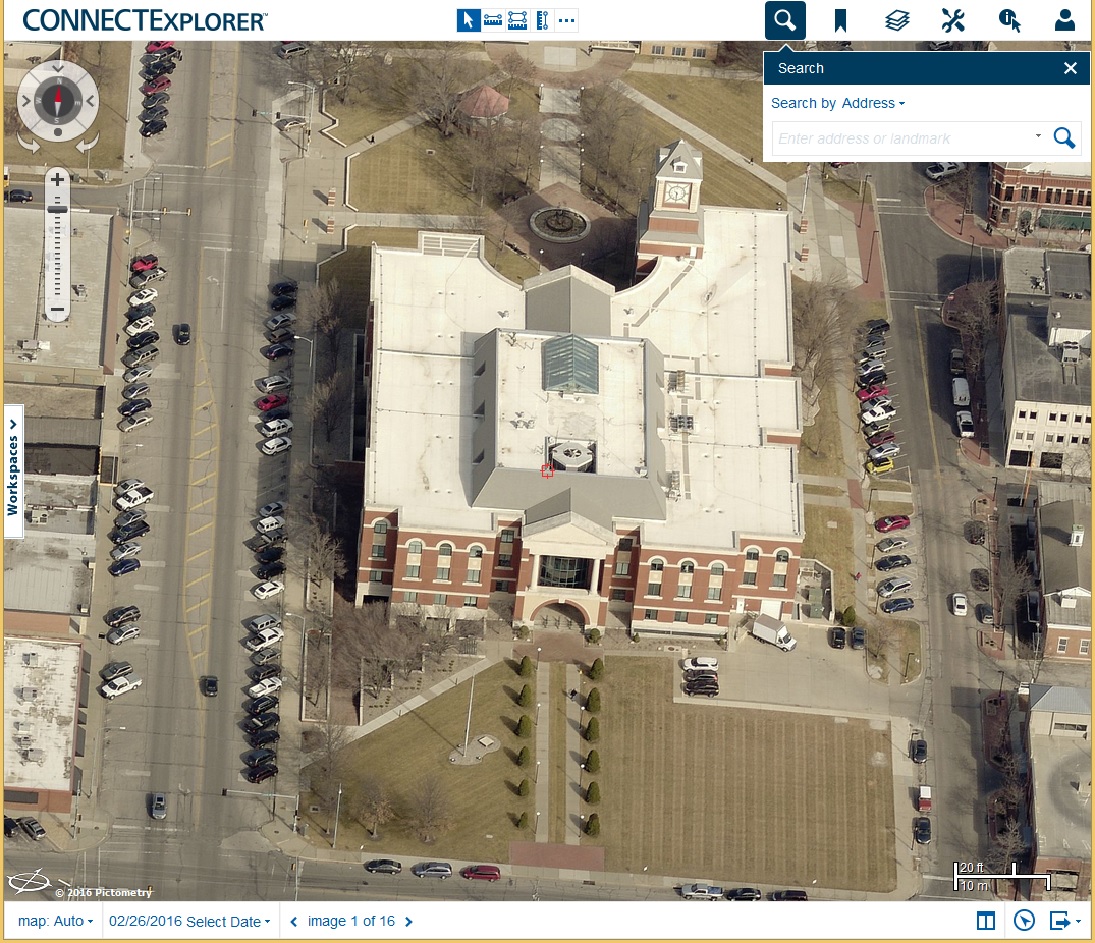
By accessing the oblique application through a CONNECTExplorer account,
registered users are provided with additional functionality and tools that allow for measuring and integration of GIS data, as well as the ability to save workspaces, bookmarks, and annotation.
Accounts to CONNECTExplorer can be created as needed for current myAIMS users.
|
What Types of Applications is Oblique Imagery Used For?
There are many uses for oblique imagery. It can be a vital tool for any situation where you would like to view and measure all sides of an object. Although
the possibilities are endless, oblique imagery is commonly used for emergency management, community planning, and property assessment applications.
|